
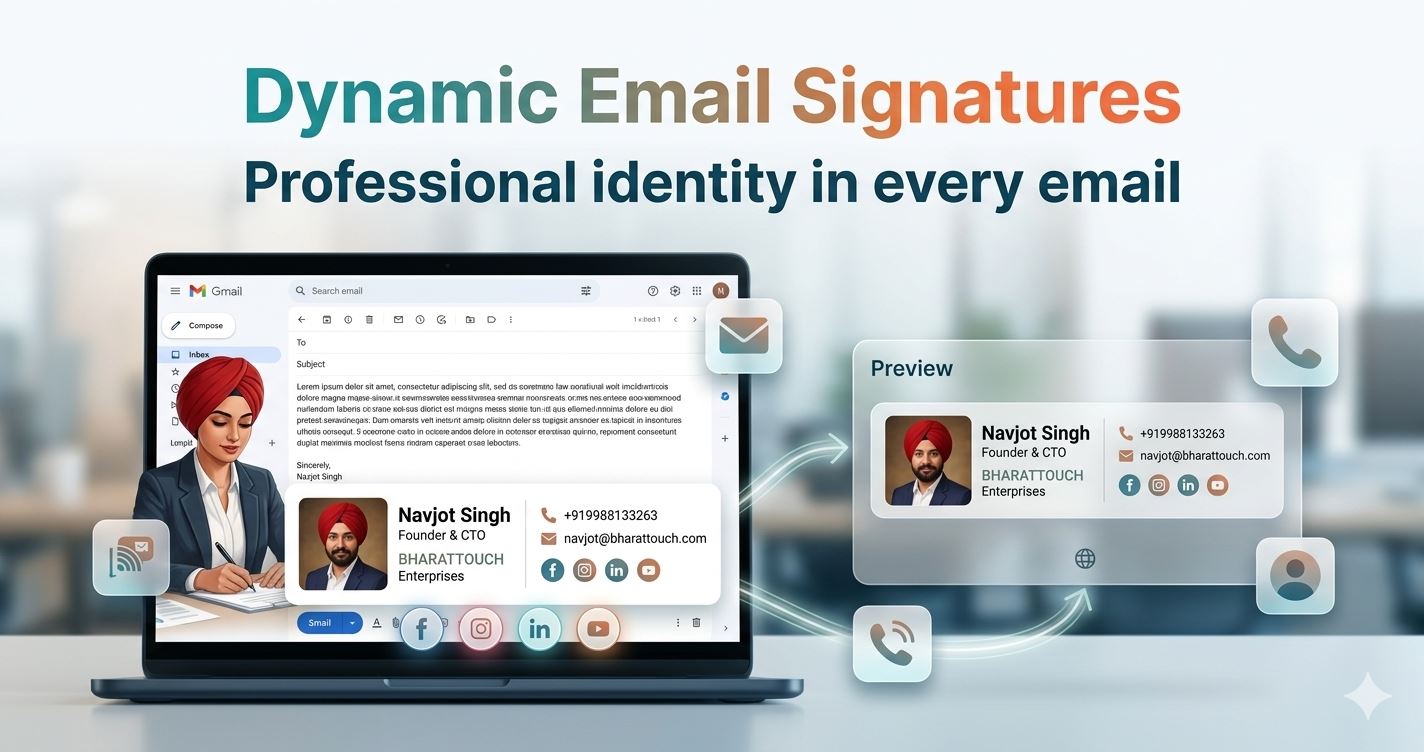
In today’s digital-first world, emails are more than just a mode of communication—they are a reflection of your professional identity. Yet, many professionals still send emails with plain, unstructured signatures or sometimes no signature at all.
This is exactly where BharatTouch’s Dynamic Email Signature feature makes a difference.
🚀 What is a Dynamic Email Signature?
A Dynamic Email Signature is a smart, automatically generated signature that includes all your essential professional details in a clean, structured, and visually appealing format.
With BharatTouch, your email signature is not just text—it becomes your digital business card.
✨ What Does It Include?
Your BharatTouch email signature is created directly from your profile and can include:
- 👤 Name & Designation
- 🏢 Company Name
- 📞 Contact Number
- 📧 Email Address
- 🖼 Profile Picture
- 🔗 Social Media Links
- 🌐 Link to Your Digital Profile
Everything you need to present yourself professionally—automatically organized in one place.
🎯 Why Email Signatures Matter More Than Ever
Every email you send is an opportunity to:
- Build trust and credibility
- Promote your personal or company brand
- Make it easier for people to contact you
- Drive traffic to your profile or business
A well-designed email signature ensures that you never miss this opportunity.
🚀 Key Benefits of BharatTouch Email Signatures
1. Professional Branding in Every Email
Ensure consistency and professionalism across all your communications.
2. Always Up-to-Date
Update your BharatTouch profile once, and your signature reflects the latest information.
3. Increased Visibility
Your contact details, social links, and profile are visible in every email you send.
4. Lead Generation Made Easy
Recipients can directly connect with you through multiple channels.
5. Saves Time & Effort
No need to manually create or update signatures across platforms.
6. Centralized Control for Teams
Organizations can maintain uniform branding across all employees.
🌐 Works Across All Email Platforms
One of the biggest advantages of BharatTouch Dynamic Email Signatures is compatibility.
You can use your signature across:
- Gmail
- Outlook
- Zoho Mail
- Hosting/Webmail
No technical setup required—just copy and paste.
⚙️ How to Create Your Email Signature
Getting started is quick and simple:
- Login to your BharatTouch account
- Go to your profile section
- Click on Email Signature
- Preview your signature
- Copy the signature
📌 How to Add It to Your Email
Gmail:
Settings → See all settings → General → Signature → Paste
Outlook:
New Email → Insert → Signature → Edit → Paste
Zoho Mail:
Settings → Mail → Signatures → Add New Signature → Paste
Webmail (Roundcube/cPanel):
Settings → Identities → Select Email → Paste → Save
👀 What Makes BharatTouch Different?
Unlike traditional static signatures, BharatTouch offers:
- A dynamic and structured format
- Integration with your digital profile
- A modern, clean design
- Easy updates and management
It’s not just a signature—it’s a smart identity layer for your emails.
🎯 Who Should Use This?
- Professionals & Corporate Teams
- Entrepreneurs & Business Owners
- Sales & Marketing Teams
- Freelancers & Consultants
- Anyone who wants to make a strong impression via email
🚀 Final Thoughts
Your email signature is one of the most underutilized yet powerful tools in professional communication.
With BharatTouch Dynamic Email Signatures, you can transform every email into a branding opportunity, networking tool, and lead generator—all at once.
👉 Get Started Today
Create your professional email signature now:
🌐 https://www.bharattouch.com